




58mm Printer
Model: 58130II
Description: POS 58 Printer, Thermal printer 58 mm, 58 mm thermal printer, thermal printer 58 mm embedded USB
Key parameter: 58mm paper width (2inch)
USB, Parallel, Serial
130mm/s
Description
Features:
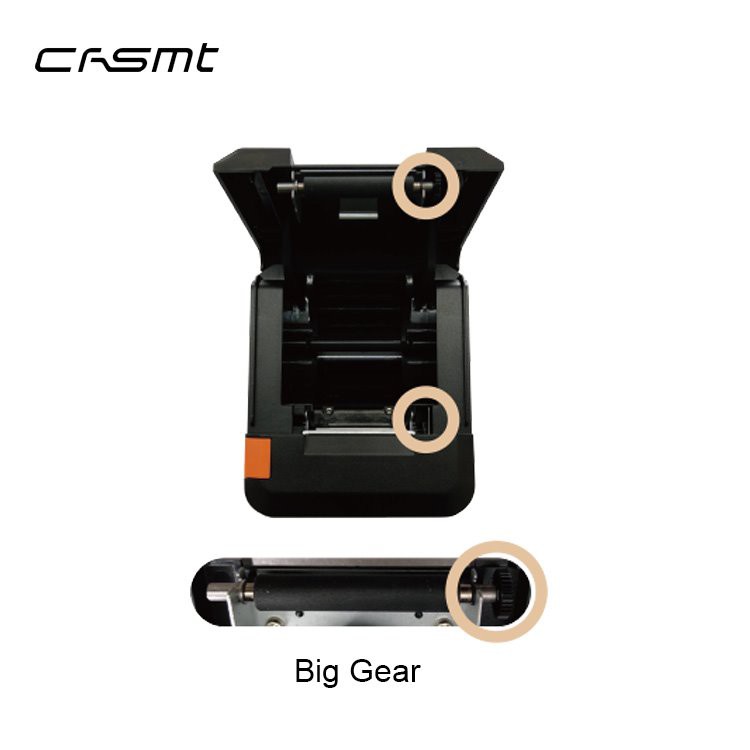
Wholesale cheap thermal 58mm Printer, the appearance is fashionable, fast, big gear durable, using Japanese original heat sensitive film, simple paper loading design, environmental friendly and durable materials for your bill printing work to bring high speed and stable operation.
Specification
|
Print mode |
Direct thermal sensitivity |
|
Paper outlet mode |
Frication up paper |
|
Paper width |
58mm |
|
Paper diameter |
65mm |
|
Print out rate |
130mm/s |
|
Print density |
203DPI (384dots/line) |
|
Print command |
ESC/POS |
|
Interface (Single port) |
Parallel: IEEE1284-A unidirectional parallel interface |
| USB: USB 2.0 | |
| Serial: RS232 serial | |
|
Button and indicator |
FEED button, power switch button, ERROR indicator |
|
Design |
top cover sinking loading (easy to fit paper structure) |
|
Receiving cache |
4 KB |
|
Dedicated space |
32 MB |
|
Print head |
50KM |
|
Line space |
3.75mm (can be adjustive) |
|
Character |
192 types of international characters, 67 types of international code pages, Supports user-defined characters |
| Kanji: GB18030, Big5 | |
|
Barcode |
UPC-A, UPC-E, CODE39, CODE93, CODABAR, CODE128, ITF, EAN8(JAN8), EAN13(JAN13), QR Code |
|
Fuselage weight |
630g |
|
Outline dimension |
180*138*115mm |
|
Color |
Black |
|
Power supply |
AC100~240V 50~60Hz, DC 12V/2A |
|
Work |
Temperature: 0~45℃, Humidity: 20-85% |
|
Storage |
Temperature: -20~60℃, Humidity: 5~95% |
Packing:
|
Product Model |
Weight (kg) |
Packing |
C.G.W (kgs) |
Carton Size (cm) |
|
58mm Printer 58130II |
1.02 |
12 pcs/carton |
15 |
60*55*41 |
Application:
58mm Printer prints receipts and bills which widely used in research laboratory, clothing store, grocery store, bakery, library, medicine store, warehousing, stations, taxi, hotel, restaurant, bars ect

Q&A:
● How to print self-test page:
1. 58mm Printer Usefulness: showing the printer itself information, including version and the current configuration; and inspecting the printer if work or not.
2. Operation: Turn off the printer power. Press and hold on FEED button for 2 seconds, and then release FEED button, the self-test page will be printed out.
Send Inquiry
You Might Also Like


