


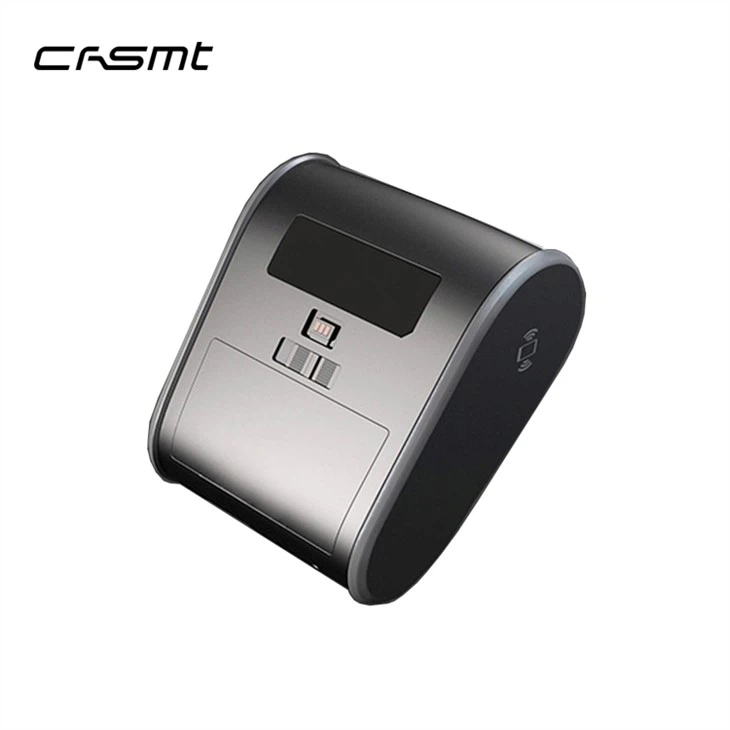

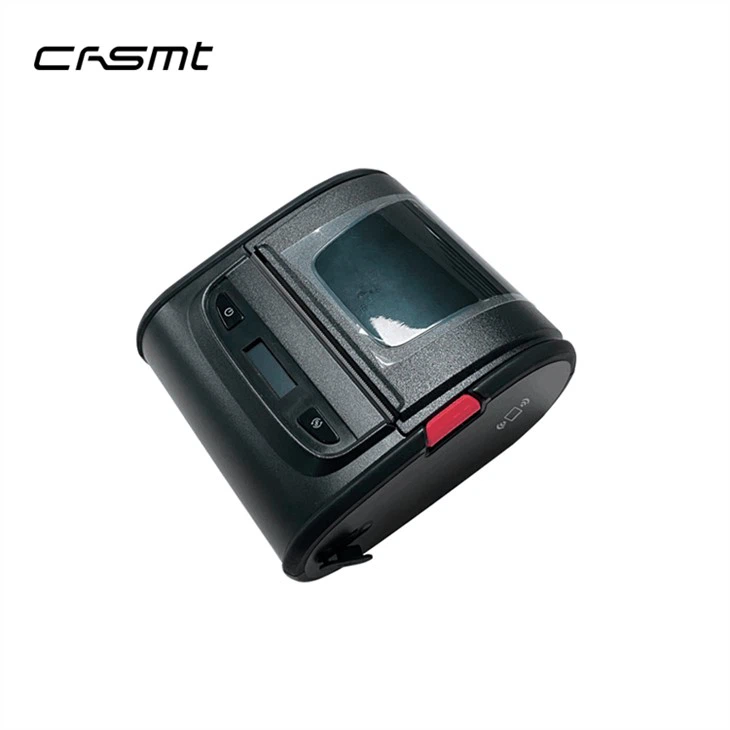
Portable Barcode Printer
Model: B380
Description: mini sticker printer, 2 color thermal printer
Key parameter: 30~80mm width
50mm paper diameter
USB + Bluetooth (Standard), USB +Bluetooth + Wi-Fi (optional)
2500mAh Lithium battery
120mm/s
Supports Label and receipt printing
User-defined watermark printing, Black and Red bicolourable printing
Description
Features:
1. Portable Barcode Printer, high quality print head, high print speed
576dot/line, 203DPI, good print quality, high-speed processor for fast speeds of up to 120mm per second.
2. Small portable printer with large width paper bin, more convenient to use
Portable Barcode Printer comes with slidable limiting block to load 30~80mm width paper available.
Paper diameter: 50mm.
3. Portable wireless printer, wireless connection, great compatibility
USB+Bluetooth4.2 (standard), USB+Bluetooth5.0+WiFi2.4/5G (optional).
Portable Barcode Printer supports wireless connection with laptop via Bluetooth or Wi-Fi.
8M RAM + 16M Flash memory.
QR code, PDF417 printing supported.
Compatible with ESC/POS, TSPL, CPCL, ZPL commands, supports receipts, labels and waybill printing.
4. Handheld thermal printer, one machine, powerful function
Comes with NFC.
Portable Barcode Printer supports TTF format vector font, supports multiple languages.
Support Unicode, GB18030, BIG5, KS5601 and more coding formats.
Special function: user-defined watermark printing, Black/Red bicolourable printing.
Specification
|
Printing |
Print Method |
Direct thermal line |
|
Resolution |
203 dpi |
|
|
Print Speed |
120mm/s (Max.) |
|
|
Interface |
USB+Bluetooth (Standard), USB+Bluetooth+WiFi (Optional) |
|
|
Sensor |
Supports: Black mark detection, GAP detection, Low Battery, Paper shortage , Cover open, overheat |
|
|
Buffer |
RAM: 2M, Flash: 16M |
|
|
Command set |
ESC/POS, TSPL, CPCL, ZPL |
|
|
Special printing function |
Watermark Printing, Black/Red Bicolourable Printing |
|
|
Paper |
Paper Type |
Gap, continuous, black mark paper ect |
|
Paper |
Width: 30-80mm; Diameter: Max. 50mm; Thickness: 0.053~0.15mm |
|
|
Paper Off Way |
Tear off |
|
|
GAP Height |
Min. 2mm |
|
|
Black Mark Height |
Min. 2mm |
|
|
Font |
Font |
GB18030, BIG5, KSC5601 |
|
Ture Type Font |
Supported, NotoSans CJK as default |
|
|
1D Barcode |
UPC-A, UPC-E, EAN-8, EAN-13, Code 39, ITF, Codabar, Code 93, Code 128 |
|
|
2D Barcode |
PDF417, QR code |
|
|
Rotation |
0°、90°、180°、270° |
|
|
Operating |
LED Operation Language |
Chinese, English |
|
Operation buttons |
POWER, FEED |
|
|
Display |
OLED black/white display |
|
|
Power |
Power |
Input: AC 100~-240V 50~60Hz, Output: DC5V/2A |
|
Battery |
2500mAh/7.4V rechargeable Li-ion Battery |
|
|
Charge period |
USB power charger: 3~4hours; PC USB: over 4hours |
|
|
Continuous printing copies |
400~500 copies (waybill paper length: 200mm) |
|
|
Standby time |
10~15 days |
|
|
Environment |
Work Environment |
Temperature: -10~52℃, Humidity: 10~85% |
|
Storage Environment |
Temperature: -20~60℃, Humidity: 5~90% |
|
|
Physical |
Weight |
450g |
|
Dimension |
118(L)*105(W)*62(H)MM |
|
|
IP code |
IP54 |
|
|
Drop Test |
1.5m |
|
|
Others |
Software |
Android/iOS label editing APP; SDK; windows bartender software |
|
Accessories |
USB cable*1, USB power charger*1, Manual*1 |
|
|
Reliability |
50KM |
Product Show:


Application:


Packing:
|
Product Model |
Weight (kg) |
Packing |
C.G.W (kgs) |
Carton Size (cm) |
|
Mobile Printer B380 |
0.6 |
20 pcs/carton |
13.5 |
42*32*39 |
Q and A:
About Portable Barcode Printer restore factory settings:
1. Long press the FEED/Menu button for 1 second to enter the settings menu.
2. Short press the FEED/Menu button to switch to the Restore Factory Settings: OFF menu.
3. Short press the POWER/Settings button, select factory reset: 1 menu. The printer will automatically shut down in 2 seconds, the settings will take effect after the printer is started.
About Portable Barcode Printer to print self-test page:
1. Usefulness: showing the printer itself information, including version and the current configuration; and inspecting the printer if work or not.
2. Operation:
①Long press the Feed/Menu button for 1 second to enter the settings menu.
②Short press the Feed/Menu button to switch to the “Print self-test page: OFF” menu.
③Short press the power/Settings button, select Selftest: ON menu. The print will print the self-test page in 0.5 second.
About sample:
Please kindly contact us by informing your requirements, we will recommend the printer model based on your request, and then send the sample by express such as DHL or FedEx or UPS immediately once the sample order confirmed.
About after service:
1 year warranty or a ratio of spare parts for RMA. Also we will assist you to solve technical issues and offer latest software for updating.
Send Inquiry
You Might Also Like


